8 Smart Ways to Score a Cheap GPU for Local AI Before Prices Skyrocket
If you've been eyeing the world of self-hosted generative AI but your wallet flinches at the thought of dropping a grand on a graphics card, there's a clever workaround that could save you serious cash—at least for now. A recent deep dive by Hardware Haven reveals how to snag a 16GB Nvidia V100 for roughly $100, but it comes with a twist: the card uses a proprietary SXM2 connector instead of the standard PCIe slot. With a $100 adapter and a bit of DIY spirit, you can turn this enterprise-grade GPU into a budget-friendly local AI powerhouse. However, this window of opportunity may close quickly as the market catches on. Here are eight things you need to know to grab this deal before prices rise.
1. The Unexpected Bargain: Nvidia V100 for Under $100
Hardware Haven scored a 16GB Nvidia V100—a card originally designed for servers in 2017—for just over a hundred bucks. Compare that to the PCIe version of the same GPU, which often sells for $1,000 or more on eBay unless you get extremely lucky. The V100 may be a decade old, but it still packs enough muscle to run modern open-source language models at respectable speeds. For anyone on a tight budget, this is a tantalizing entry point into local AI. Just be prepared to move fast: once more people realize this trick works, those bargain prices will evaporate.
2. The Catch: Why This GPU Is So Cheap
The V100's low price tag comes from its non-standard interface. Instead of a PCIe slot, this card uses an SXM2 socket—a proprietary server architecture that won't fit any consumer motherboard. That incompatibility makes it a niche product, unwanted by typical gamers or PC builders. But for the DIY AI enthusiast, that's exactly why it's affordable. The card's enterprise pedigree means it was built for heavy workloads, not home setups, so sellers often discount it heavily just to get rid of it. You're essentially buying a high-performance engine that no standard car can use—unless you're willing to build the adapter yourself.
3. Bridging the Gap: The SXM2 to PCIe Adapter
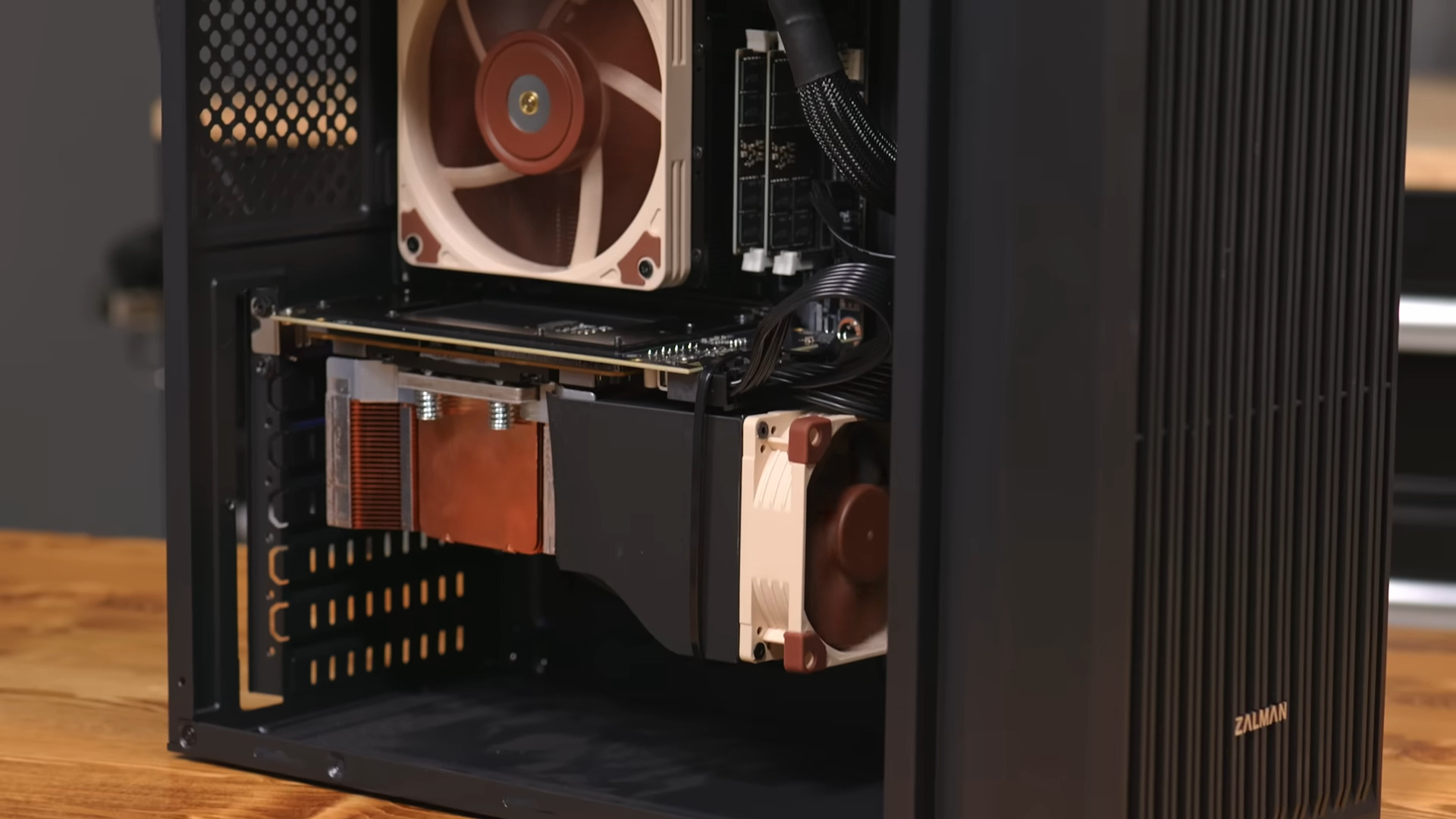
For another hundred dollars, you can buy an adapter board that converts the SXM2 connector into a PCIe card. This adapter fits into a standard motherboard slot and provides power and data connections, making the V100 usable in a regular desktop PC. It's a simple plug-and-play solution, though you may need to ensure your power supply can handle the 250W TDP of the GPU. Hardware Haven's setup worked without modification, but double-check compatibility with your system's BIOS and motherboard layout. The total cost of $200 for a 16GB GPU is still a fraction of what you'd pay for equivalent VRAM on a modern card.
4. Cool It Down: 3D Printing a Fan Shroud
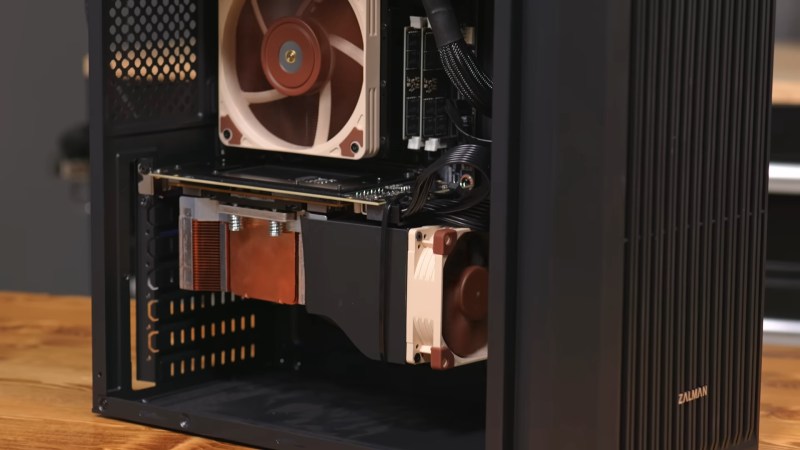
Enterprise GPUs like the V100 rely on server-grade cooling, often with high-speed fans that are loud but effective. On a consumer motherboard, the card's stock cooler might not get enough airflow, leading to overheating. Hardware Haven solved this by 3D printing a custom fan shroud that directs airflow over the heatsink. The shroud, paired with a standard 120mm fan, kept temperatures in check during AI workloads. Total added cost: negligible if you have access to a 3D printer. This DIY cooling solution is a small but critical step to prevent thermal throttling and ensure stable performance.
5. Performance vs. RTX 3060: Tokens per Second and Efficiency
How does a 2017 V100 stack up against a more common RTX 3060 12GB? In head-to-head tests, the older card delivered more tokens per second (a measure of AI inference speed) while operating at slightly higher efficiency per watt during active use. That's impressive for a card that's eight years older. However, the V100's real weakness shows up at idle: it draws significantly more power, which can hurt your electricity bill if you leave the system on 24/7. For occasional inference tasks, the V100 is a winner; for always-on servers, consider a newer, more power-efficient GPU.
6. The Hidden Cost: Higher Idle Power Consumption
While active performance is solid, the V100 isn't designed for energy savings. Its idle power draw is much higher than a modern RTX 3060, meaning it's less suited for always-on setups. If you plan to run AI models only occasionally, the higher idle consumption matters less. But for a home lab that's always running, those extra watts add up over months. Factor this into your total cost of ownership. One workaround: shut down the system when not in use, or use software tools to force the GPU into a low-power state if possible.
7. Not Just for Newcomers: Running the Latest Open Models
Despite its age, the V100 can handle the latest open-source LLMs like LLaMA, Mistral, and others. With 16GB of VRAM, you can run 7B or 13B parameter models comfortably, and even some 30B models with quantization. Hardware Haven tested several modern models and found the V100 produced accurate results at speeds comparable to newer mid-range cards. The key is driver support: Nvidia's CUDA ecosystem still works with this architecture, so you can use popular frameworks like Ollama, llama.cpp, or Hugging Face. This makes the V100 a viable path for hobbyists who want to experiment without breaking the bank.
8. The Clock Is Ticking: Market Arbitrage and Price Increases
The V100's bargain status won't last. As more people learn about this SXM2-to-PCIe hack, demand will rise, and sellers will adjust prices. Hardware Haven warns that by the time you read this, the $100 deal may already be gone. If you're serious about entering local AI on a budget, act now. But even if you miss the V100 train, remember that you don't always need a heavy GPU. Smaller models can run on a Raspberry Pi with patience, and new low-cost options appear regularly. The key is to stay informed and pounce on opportunities when they arise.
Conclusion: The SXM2 V100 hack is a perfect example of how creative thinking and a little DIY can unlock high-performance AI capabilities for nearly nothing. It's a temporary goldmine for budget-minded enthusiasts, but one that demands quick action. Whether you dive into this adapter project or wait for the next wave of cheap hardware, the era of accessible local AI is just beginning. Don't let the opportunity slip away.
Related Articles
- How to Build a Budget-Friendly Core Ultra PC with the Asus Prime Z890-P Wifi
- Breaking: Samsung Galaxy Tab S11 Ultra Hits Record $500 Discount Amid Pre-Holiday Sales Event
- Brazilian Authorities Flag Apple Over Deceptive AI Feature Promises
- Framework Laptop 16 OCuLink Dev Kit Promises Desktop-Grade External GPU Support by Year-End
- Navigating the Updated GPU Baseline in Rust’s nvptx64-nvidia-cuda Target
- Asus ROG NUC 16: A Mini Gaming Powerhouse with Next-Gen Intel and NVIDIA Hardware
- How to Prepare for the Looming Memory Price Hike Driven by Nvidia’s Rubin AI Platform
- 7 Key Insights on Intel's Wildcat Lake Budget Laptops Starting at $450