10 Game-Changing Features of Wear OS 7 for Pixel Watch Users
Google’s latest wearable operating system, Wear OS 7, is set to transform the Pixel Watch experience. With a design philosophy that mimics Android’s intuitive interface, this update introduces a suite of smart features aimed at boosting productivity, health tracking, and everyday convenience. From live, glanceable updates to a revamped widget system, Wear OS 7 bridges the gap between your wrist and your digital life. In this listicle, we dive into the ten most impactful enhancements that make this version a must-have upgrade for every Pixel Watch owner.
1. Live Updates: Information at a Glance
Wear OS 7 introduces Live Updates, a feature that dynamically refreshes key information directly on the watch face. Forget swiping through menus—your flight status, package delivery progress, or sports scores now appear in real-time via small, interactive cards. These updates are context-aware, meaning they only show when relevant. For instance, if you have a meeting in 10 minutes, the watch will display a calendar reminder without manual setup. This aligns perfectly with Android’s At a Glance widget, offering a seamless cross-device experience. You can even tap a Live Update to open the full app for more details. It’s a subtle yet powerful shift that keeps you informed without overwhelming your wrist.
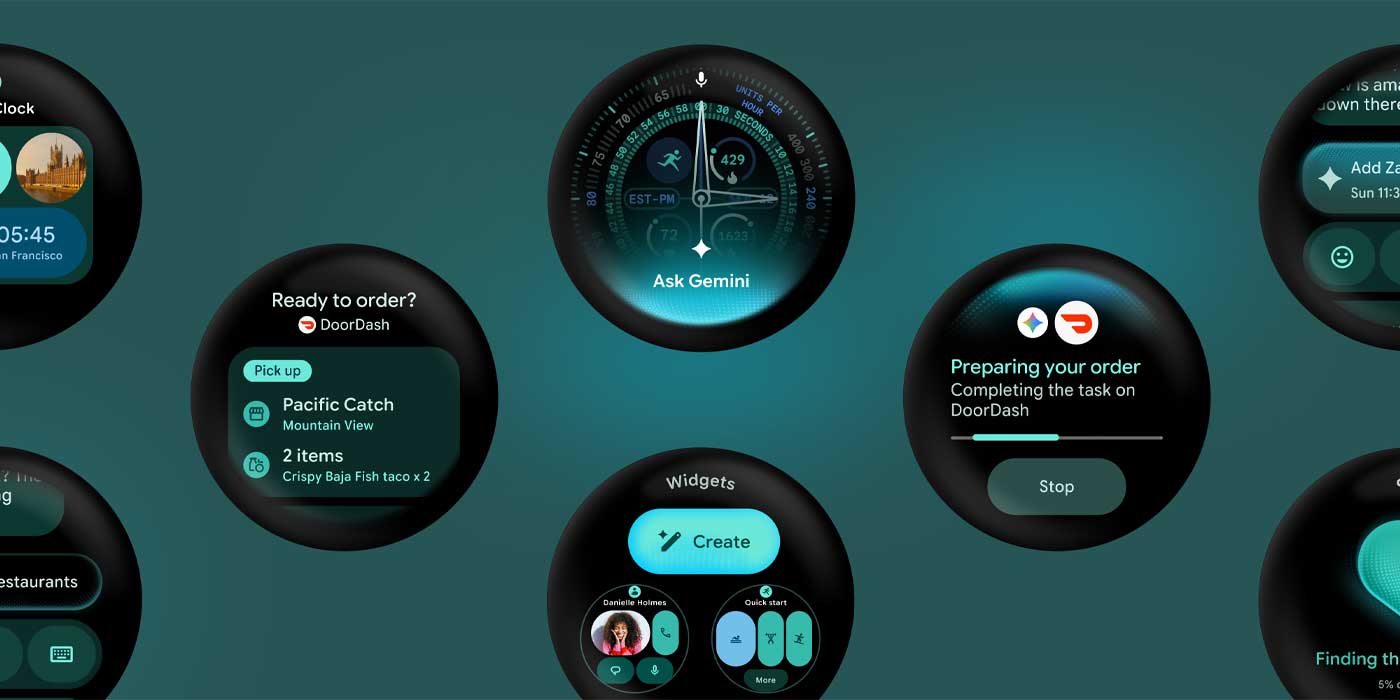
2. Revamped Widget System: Customize Your Watch Face
Widgets on Wear OS 7 have been redesigned to mirror Android’s widget flexibility. Now, you can pin multiple widgets to your watch face, each displaying live data from apps like weather, fitness, or calendars. Swipe left or right to cycle through them, just like on a phone. The new system supports stackable widgets, allowing you to group related information—e.g., a health stack showing steps, heart rate, and sleep score. Developers can create custom widgets too, so third-party apps like Spotify or Strava integrate effortlessly. This makes the watch face truly yours, reducing the need to open individual apps and saving battery life by showing only what matters.
3. Enhanced Tiles: More Data, Less Friction
Google’s Tiles feature gets a major upgrade in Wear OS 7. Tiles are now smarter and more interactive, offering real-time data without launching full apps. For example, the Weather Tile now includes hourly forecasts and severe weather alerts, while the Fitness Tile shows live workout metrics like pace and heart rate zones. You can rearrange tiles via the Wear OS app on your phone, or directly on the watch with long-press gestures. Additionally, Tiles support deep linking—tap a tile element and jump to a specific screen in the app (e.g., tapping a calendar event tile opens the event details). This reduces navigation steps and makes the watch feel faster and more intuitive.
4. Keyboard and Text Input Upgrades
Typing on a smartwatch has always been a challenge, but Wear OS 7 introduces a QWERTY keyboard optimized for the tiny screen. It uses predictive text, swipe typing, and even voice-to-text with improved accuracy. Google’s Assistant now also understands more natural commands, like “Reply to Sarah saying I’ll be 10 minutes late.” The new input methods make quick replies less frustrating, especially for messaging apps like WhatsApp and Telegram. There’s also a gesture typing option where you trace letters on the glass—similar to Android’s Gboard. These enhancements turn the watch into a more functional communication hub.
5. Tighter Health Integration: Sleep, Stress, and Recovery
Wear OS 7 deepens health tracking by integrating Sleep Score and Stress Management directly into the system UI. Your nightly sleep data is now visualized with stages (light, deep, REM) and a recovery recommendation. Stress tools include guided breathing exercises and a continuous heart rate variability (HRV) tracker. Importantly, this data syncs seamlessly with Google Fit and third-party apps via the Health Connect API, ensuring a unified health profile across devices. For Pixel Watch users, the new Readiness Score (similar to Oura or Garmin) suggests when to push or rest based on recent activity and sleep. This makes the watch a true wellness companion.
6. Improved Battery Performance with Adaptive Modes
One of the biggest complaints about smartwatches is battery life. Wear OS 7 addresses this with Adaptive Battery technology learned from Android. The system learns your usage patterns—like when you exercise, sleep, or receive many notifications—and optimizes background processes. There’s a new Battery Saver mode that extends life by limiting features to time, step count, and minimal notifications. For heavy use, a Workout Mode turns off always-on display and reduces sensor polling while still tracking GPS. Google claims up to 30% longer battery life on Pixel Watch compared to Wear OS 6 under typical use.

7. Streamlined Navigation with Gestures
Navigating Wear OS 7 is now more tactile with gesture controls. You can swipe down for quick settings, up for notifications, and left/right for tiles. But new additions include a pinch gesture for dismissing notifications and a double tap to scroll through stacked widgets. The crown button feels more responsive with haptic feedback, and long-pressing it now triggers Google Assistant directly. These changes make one-handed use easier, whether you’re running or cooking. Plus, the new Back gesture from the bottom edge reduces accidental exits.
8. Unified App Launcher and App Drawer
The app launcher in Wear OS 7 gets a visual overhaul. Apps are now displayed in a grid layout (optional list view) with high-contrast icons and labels. You can organize apps into folders, just like on your phone. Recent apps appear at the top for quick relaunch. The launcher also integrates app suggestions based on time and location—like showing a music app when you start running. This aligns with Android’s Dynamic System Updates, making the watch feel like a natural extension of your smartphone.
9. Advanced Notification Management
Wear OS 7 overhauls notification handling. You can now group notifications from the same app into one card, with expandable detail. Action buttons (like “Mark as read” or “Reply”) are always visible. An important addition is notification prioritization – the watch learns which apps you engage with most and surfaces them, while muting less important ones. Smart replies use on-device AI to avoid sending data to the cloud, enhancing privacy. For productivity, you can even forward notifications to your phone or dismiss them across devices via Google’s Notification sync.
10. Seamless Integration with Pixel Ecosystem
As expected, Wear OS 7 tightens integration with Pixel phones. Features like Camera controls (viewfinder, zoom, shutter from wrist), Find My Device for phone/earbuds, and Smart Unlock for nearby Chromebooks are now smoother. The new Fast Pair setup pairs your watch with the phone in under 30 seconds. Also, you can share internet connection via Instant Tethering without extra steps. Google’s commitment to making the Pixel Watch a central hub for the ecosystem is clear, and Wear OS 7 is the software backbone that makes it work.
Conclusion
Wear OS 7 marks a significant leap for Google’s wearable platform, especially for Pixel Watch users. By borrowing Android’s best ideas—live updates, flexible widgets, adaptive battery, and intuitive navigation—it creates a cohesive and powerful experience that feels both familiar and fresh. Whether you’re a fitness enthusiast, a busy professional, or a tech lover, these ten features offer something to enhance your daily routines. As more updates roll out, we can expect even tighter integration and smarter capabilities. If you haven’t updated your Pixel Watch yet, now is the time to dive into Wear OS 7 and see your wrist transform into a command center for your digital life.
Related Articles
- How to Prevent Signal Message Content from Being Stored in iPhone Notification Database
- Cloudflare Flagship: Edge-Native Feature Flags with OpenFeature – Q&A
- Bosch Boosts E-Bike Performance: New Software Update Delivers 120 Nm Torque and 600% Assist
- 5 Crucial Facts About MemPrivacy: The Edge-Cloud Framework That Protects Private Data Without Sacrificing AI Memory Utility
- HASH Unveils Free Simulation Platform for Tackling Complex Real-World Problems
- Safari 26.5: Key Features and Enhancements
- Apple TV+ Summer Sci-Fi Spectacular: Three Fan-Favorite Series Return
- How to Shield Your Enterprise Apple Devices from Top Mobile Security Threats